
Websites & Conversion
Your Website Should Answer Objections Before They Call
If your local business website doesn’t answer common customer questions, you’re losing warm leads. Learn how a FAQ section turns browsers into buyers.
·5 min read
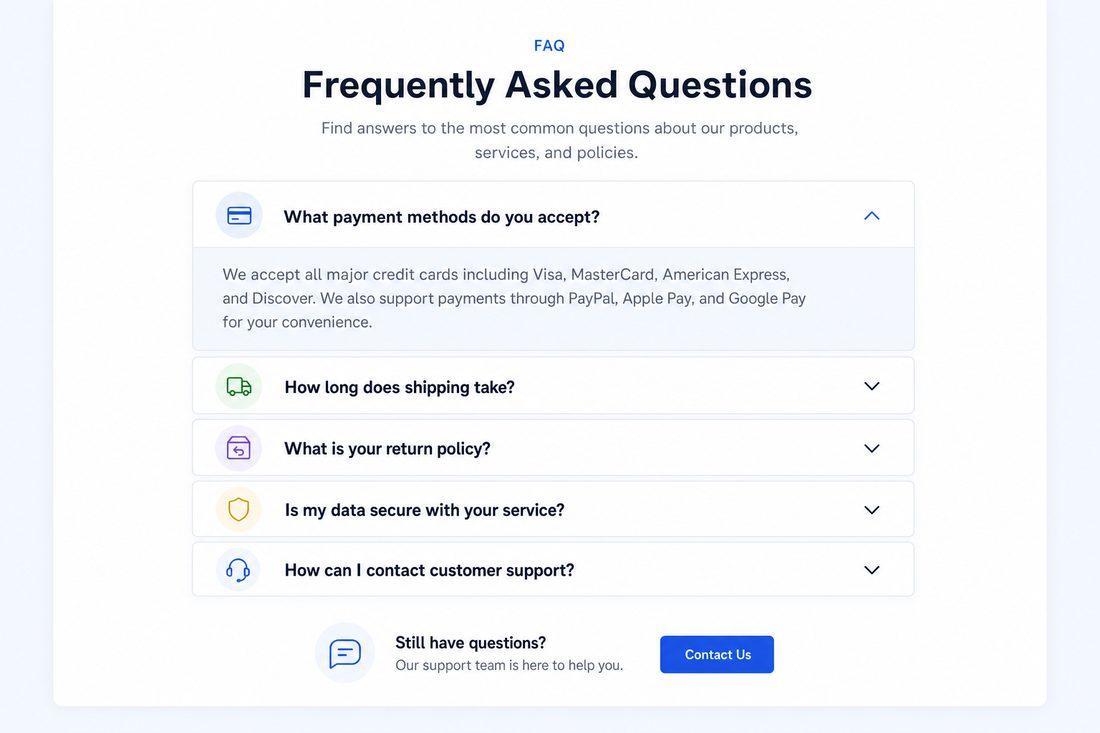
Here’s something most business owners don’t think about: every visitor to your website is quietly asking questions.
How much does this cost? How fast can they get here? Are these people actually any good? What happens after I fill out the form?
They’re not asking out loud. But those questions are running in the background of every second they spend on your site. And if your website doesn’t answer them — they leave. Quietly. Without ever calling.
That’s a warm lead gone cold. And it happens dozens of times a day on websites that don’t address the silent objections sitting between a visitor and a booked job.
The Silent Conversation Happening on Your Website
When someone lands on your site, they’re having a conversation — just not with you. They’re evaluating whether you’re worth their time and money before they spend either.
Think about the questions a potential customer asks before hiring a landscaper, contractor, or accountant in your area:
- “What’s the price range? Can I even afford this?”
- “How fast can they get to my house?”
- “Are they actually legit or is this some fly-by-night operation?”
- “What happens after I submit the form — will someone call me 20 times?”
- “Do they work in my area?”
If your website leaves these questions unanswered, visitors do one of two things: they call you anyway (rare) or they keep shopping until they find a site that puts their mind at ease (common).
You can’t be there in person to handle objections. Your website has to do it for you.
What a High-Converting FAQ Actually Does
An FAQ section is not a dumping ground for random questions. Done right, it’s a strategic tool that pre-sells your service and warms up the people who contact you.
The legendary David Ogilvy built advertising campaigns on a simple belief: the more you tell, the more you sell — as long as what you’re telling is relevant and honest. An FAQ does exactly that. It gives people the information they need to say yes.
Here’s what a well-crafted FAQ accomplishes:
- Reduces hesitation — answers the questions that would otherwise stop someone from calling
- Builds trust — transparency signals confidence; businesses that hide information feel risky
- Filters the right leads — people who read your FAQ and still reach out are more qualified
- Makes calls warmer — when someone calls already knowing your pricing range and process, the conversation starts in a much better place
What to Put in Your FAQ
You don’t need 20 questions. You need the right ones. Here’s what to cover:
Pricing Transparency
You don’t have to list exact prices, but give a range or a “starts at” number. “Our lawn maintenance services start at $X per visit” answers the question without locking you in. Leaving pricing completely blank makes people assume you’re expensive or evasive.
Turnaround and Availability
How fast can you respond? How quickly can you start? “We typically respond within one business day and can usually schedule within a week” tells people what to expect. That certainty is reassuring.
Your Service Area
Name the towns, neighborhoods, or zip codes you serve — be specific about where you go and where you don’t. This saves everyone time and shows you know your community.
What Happens After They Contact You
This is underrated. Describe the next step: “After you fill out the form, we’ll call you within 24 hours to discuss your needs and give you a free quote.” Knowing the process removes one of the biggest barriers to submitting that form.
Guarantees and What You Stand Behind
Do you offer a satisfaction guarantee? A warranty on work? Anything that shows you stand behind your service? Put it here. It’s powerful.
Where to Put Your FAQ
Your FAQ doesn’t need to live on a separate page (though it can). Some of the highest-impact places to put FAQ content:
- Homepage — address the top 3-4 objections right on the main page
- Each service page — service-specific questions close to the relevant CTA
- Contact page — questions about what happens after someone reaches out
The closer the FAQ is to your call to action, the harder it works.
Quick Takeaways
- Every website visitor has silent objections — unanswered questions that stop them from calling
- A strategic FAQ section addresses pricing, timeline, service area, process, and guarantees
- Transparency builds trust; businesses that answer hard questions feel safer to hire
- Place FAQs close to your CTAs for maximum impact
- Pre-sold leads are warmer leads — your calls will be easier and close rates will go up
FAQ: Using FAQs to Convert More Visitors
What questions should I include in my website FAQ?
Focus on the questions that make people hesitate before hiring you: pricing range, how fast you respond, where you work, what happens after they contact you, and anything that sets you apart. If you hear the same questions on sales calls, those belong in the FAQ.
Won’t listing my prices scare people away?
Some people, yes — but those probably weren’t going to hire you anyway. The customers you want to attract will appreciate the honesty. And people who know roughly what to expect are far more likely to reach out than those left to assume the worst.
How long should each FAQ answer be?
Short and direct. Two to four sentences is usually enough. The goal is to give a real answer, not write an essay. Clear and honest beats long and thorough every time.
Can my FAQ help with Google rankings?
Yes. FAQ content written around real questions people search for can earn featured snippets on Google — those answer boxes that appear at the top of search results. That’s free visibility and it drives clicks.
Let Your Website Do the Pre-Selling
If your website is sending people away with unanswered questions, the fix isn’t complicated — but it does need to be intentional. At Medic 1 Media, we build FAQ sections and sales-focused copy for local businesses that address real objections, build trust, and warm up leads before they ever pick up the phone. The result? Calls that are easier to close. Customers who already feel like they know you. Want to see what this looks like for your business? Start with a free website audit — no obligation, just honest feedback.
Get My Free Growth Audit