
Websites & Conversion
Mobile-First Websites: Why Local Businesses Can’t Wait
Google indexes your mobile site first. If your local business website isn’t mobile-friendly, you’re losing rankings and calls. Here’s what to fix now.
·5 min read
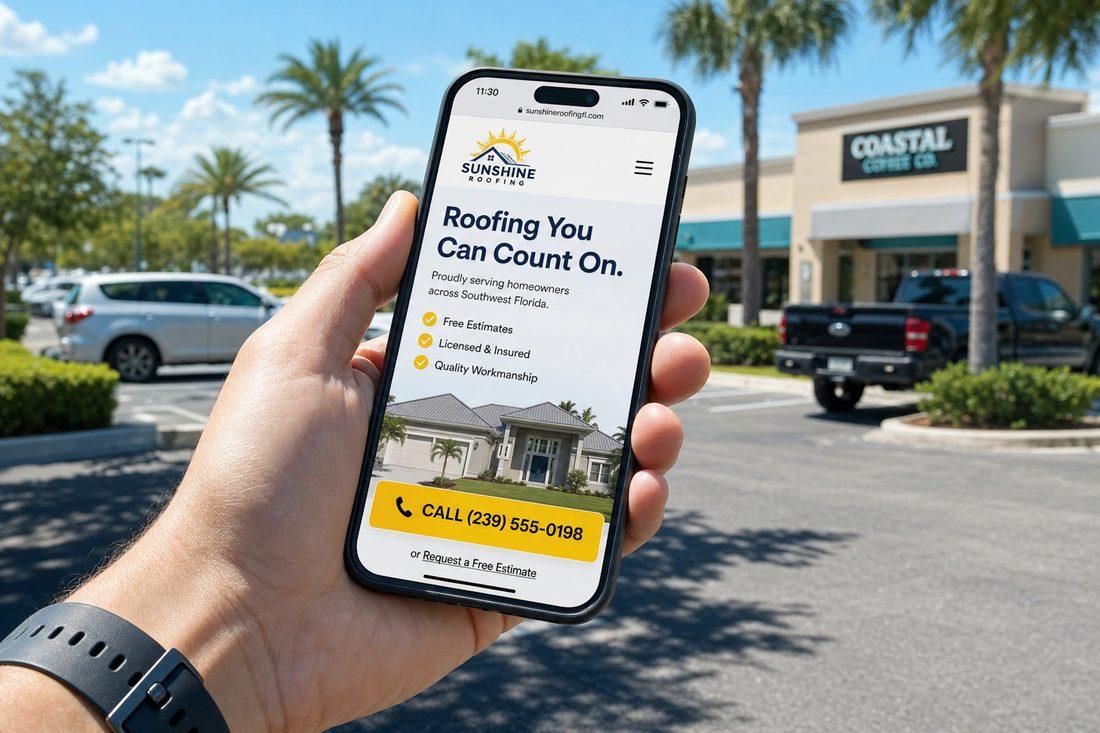
Your potential customer isn’t sitting at a desktop when they search for you. They’re in a parking lot. On their lunch break. On the couch after the kids go to bed. They’ve got their phone in one hand and five seconds of patience.
If your website isn’t built for that moment, you’re not just losing the visit — you’re losing the call.
Mobile isn’t a feature you add to a website. It’s the primary experience. Everything else is secondary.
Google Thinks Mobile-First — So Should You
This isn’t just about user experience. It’s about search rankings.
Google uses mobile-first indexing — meaning the mobile version of your website is what Google primarily looks at when deciding where to rank you. This has been standard practice since July 2024. If your mobile site is slow, broken, or hard to use, Google notices — and it affects how (or whether) you show up when someone searches for your services in your area.
That means a website that looks great on a desktop but falls apart on a phone isn’t just a bad user experience. It’s an SEO problem.
The Speed Problem Is Real
Here’s the thing about mobile users: they do not wait.
According to data cited by Shopify (sourced from Google), 53% of mobile visitors leave a page that takes more than 3 seconds to load. The bounce probability jumps 32% as load time increases from 1 to 3 seconds. That’s more than half your potential customers gone before they’ve read a single word about your business — just because the page was slow.
Think about that in the context of a typical day. Someone’s driving through your local area and their AC unit stops working. They pull over, grab their phone, and search for an HVAC contractor. They tap the first result. If it takes 4 seconds to load, they’re already hitting the back button. The second result gets the call.
Speed isn’t a technical nicety. Speed is revenue.
What’s Killing Your Mobile Experience
Most local business websites have the same mobile problems. Here’s what to look for:
- Tiny text — If visitors have to pinch and zoom to read your content, they won’t. They’ll leave.
- Buttons that are hard to tap — Small buttons placed too close together cause frustration on a touchscreen. People fat-finger the wrong thing or give up entirely.
- Screen-blocking popups — Pop-ups that cover the whole screen on mobile are a fast path to a back-button tap. Google also penalizes these in rankings.
- Large, uncompressed images — A photo that looks stunning on your desktop might be the reason your page loads in 6 seconds on a phone.
- A phone number that isn’t clickable — If your number is just plain text, mobile users have to memorize it or copy-paste it to call you. Most won’t bother. Make it a tap-to-call link.
Any of these can quietly bleed your leads without you ever knowing why the phone isn’t ringing.
Easy Wins That Make a Real Difference
You don’t have to overhaul your entire website to dramatically improve the mobile experience. Start here:
Add a Sticky “Call” Button
A fixed button at the bottom of the screen — always visible as someone scrolls — removes all friction from the most important action: calling you. For a local service business, this single addition can have a noticeable impact on inbound calls.
Compress Your Images
Oversized images are one of the most common causes of slow load times. Compressing them (without sacrificing visible quality) can cut load time significantly. There are free tools that do this automatically before you upload.
Put Services and Your Service Area Near the Top
On mobile, people see a small slice of your page before they decide to scroll. Make sure the first thing they see tells them exactly what you do and that you serve your local area. Don’t make them scroll to find out if you’re even relevant to them.
Keep Your Contact Form Short
A long form feels like homework on a phone. Three fields — name, phone number, and a brief note about what they need — is plenty. You can collect the rest after they’ve reached out. The goal is to get them to take that first step, not to gather every detail upfront.
Quick Takeaways
- Google uses mobile-first indexing — your mobile site directly affects your search rankings.
- 53% of mobile visitors leave pages that take over 3 seconds to load (Google data via Shopify).
- Tap-to-call buttons, compressed images, and short forms are among the highest-impact mobile fixes.
- Most local traffic comes from phones — your mobile experience IS your website experience.
- You don’t need a full redesign to see improvement; targeted fixes go a long way.
FAQ
What does “mobile-first indexing” actually mean for my business?
It means Google looks at your mobile site — not your desktop site — when crawling and ranking your pages. If your mobile version is hard to navigate, loads slowly, or has missing content, it can directly lower your search rankings. For a local local business competing for “near me” searches, this matters a lot.
How do I know if my website is slow on mobile?
Google offers a free tool called PageSpeed Insights (pagespeed.web.dev) where you can enter your URL and get a mobile performance score along with specific suggestions for improvement. If your mobile score is below 50, that’s worth addressing soon.
Do I really need a separate mobile version of my site?
Not necessarily. A responsive website — one that automatically adjusts its layout based on screen size — handles both desktop and mobile from a single design. Most modern websites are built this way. The issue is when older sites weren’t built responsively, or when mobile optimization was treated as an afterthought.
What’s the single most impactful mobile fix for a local service business?
A clickable phone number and a sticky call button are arguably the highest-ROI changes for a local business that relies on phone calls. They remove every possible barrier between a mobile visitor and the action you want them to take.
Is Your Site Working on the Device That Matters Most?
If you’re not sure how your website performs on a phone — or you know it has issues but haven’t had time to deal with them — this is worth a conversation. At Medic 1 Media, we work with local businesses to make sure their websites are fast, mobile-friendly, and built to turn phone visitors into actual calls. We offer a free website audit with no obligation attached. We’ll look at your mobile experience, flag what’s costing you leads, and tell you exactly what to prioritize.
Get My Free Growth Audit